Welcome!
This guide should cover everything you will need to know in order to operate the Guest Book Phone Voicemail.
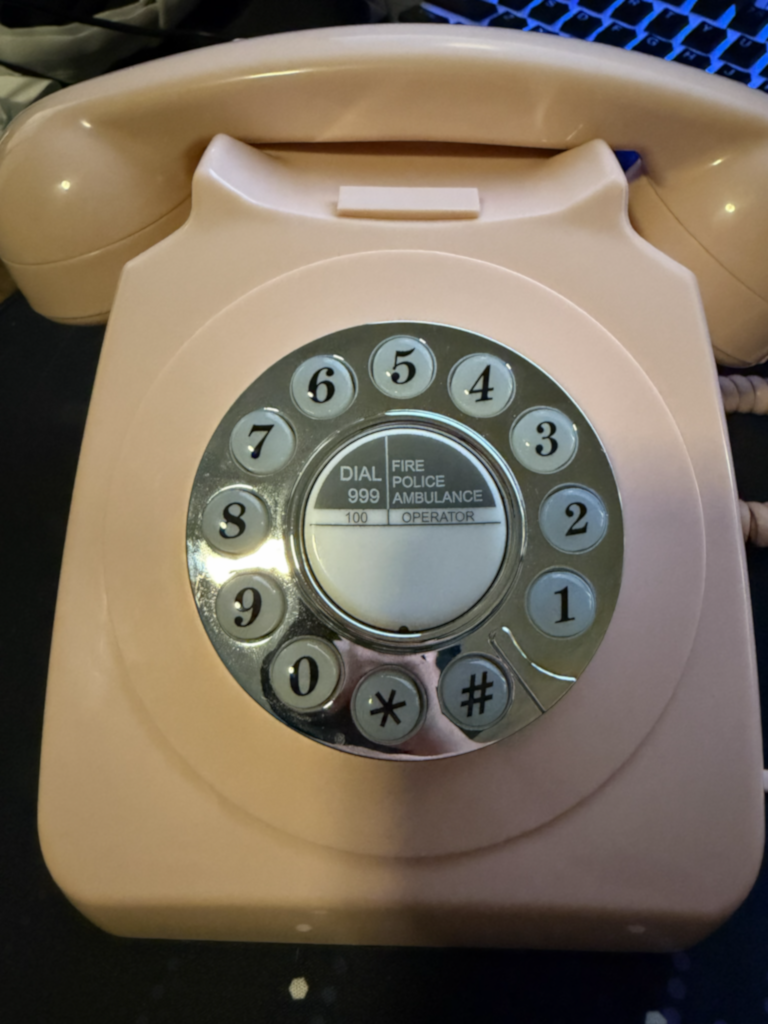
Turning the Phone On
- On the bottom of the phone, find the Phone/Audio switch in the middle, flip the switch to Audio and the Blue Light is On.
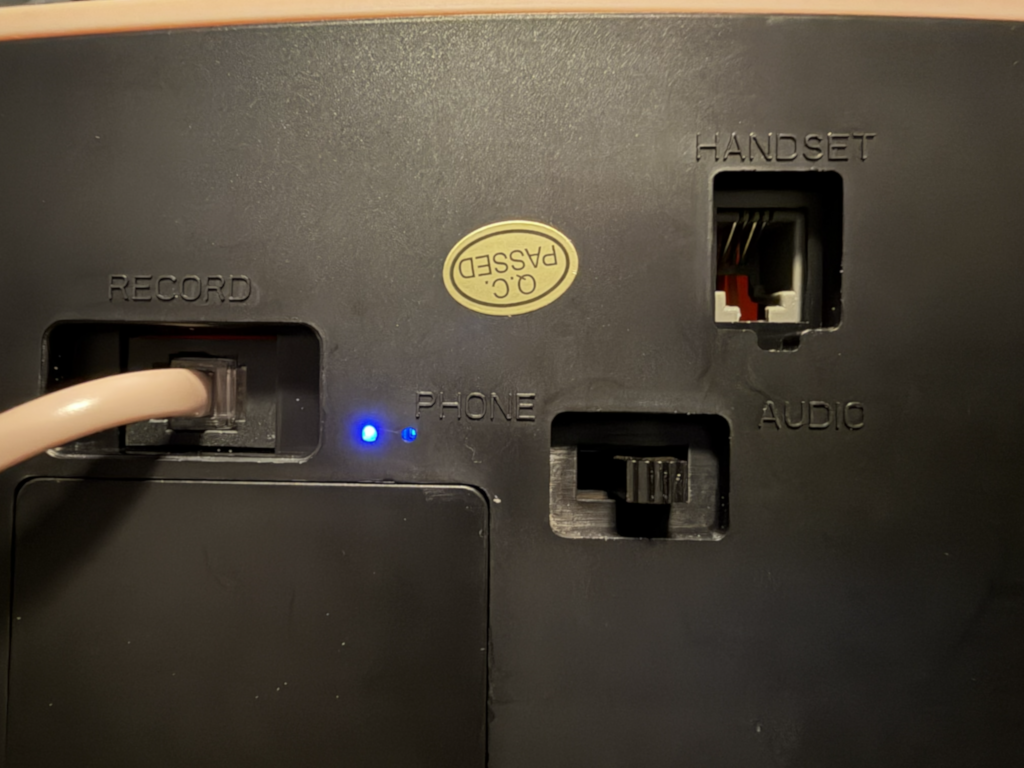
Turning the Phone Off
- On the bottom of the phone, find the Phone/Audio switch in the middle, flip the switch to Phone and the Blue Light is Off.
Recording the Voicemail Greeting
- Ensure the handset hook, the two buttons that the handset rests on, are pressed down on either side either with a finger or the handset.
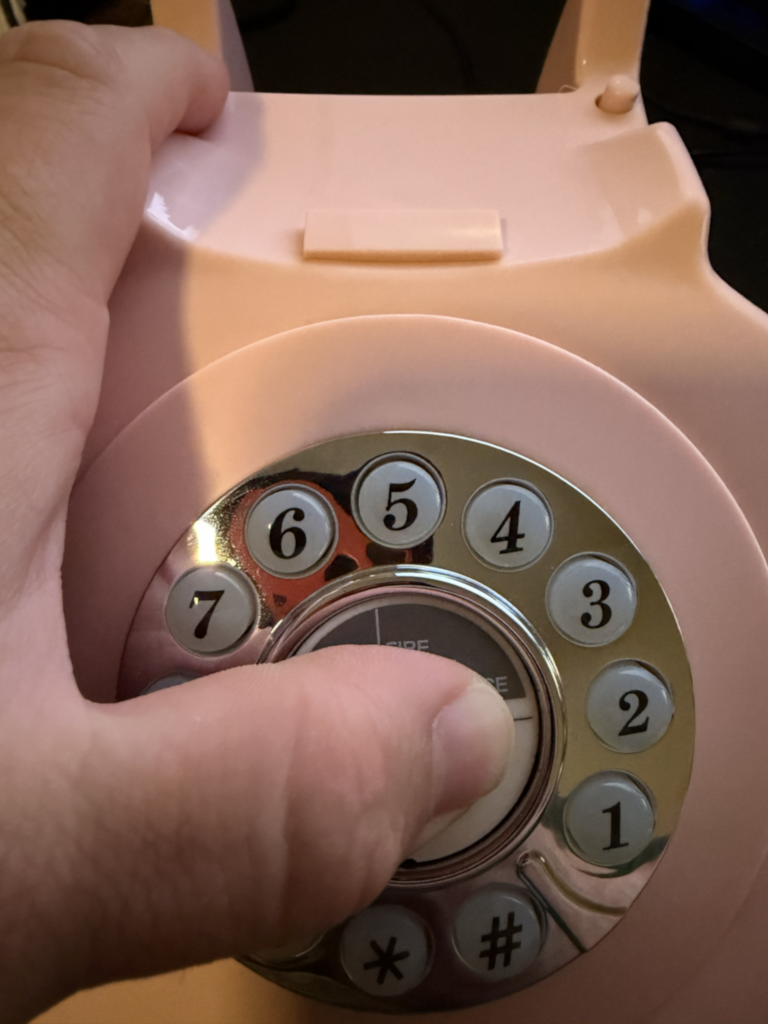
- Press the White/grey button in the middle of the number wheel, after 4 seconds you'll hear a beep.
- Release handset hooks and you'll hear a second beep and your message will start recording.
Note: If starting the recording with the handset already in your hand instead of removing it from the hook, you should add a brief pause before starting your message, ideally 1~2 seconds to allow time for the guest to pick up the handset before starting the message. - When finished, press one of the handset hooks or replace the handset. Release the White/grey button in the middle of the number wheel.
Normal Use for Guests (Greeting Playback)
- Lift up the handset.
- Listen to the greeting.
- Leave a message/voicemail.
Troubleshooting
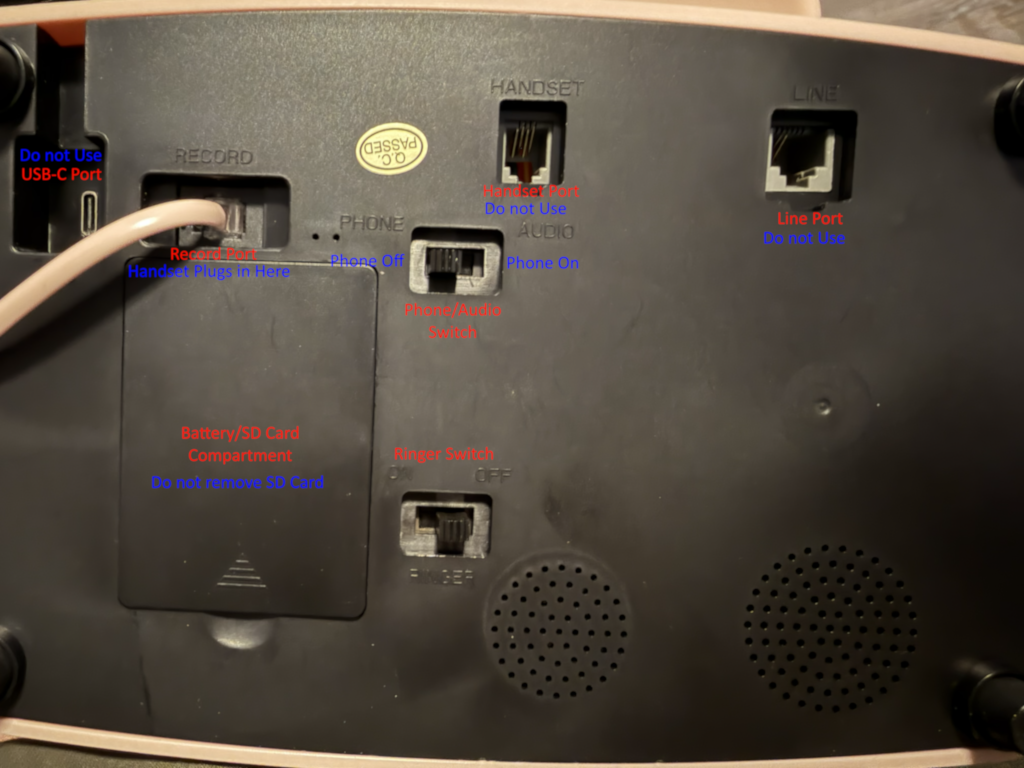
Ports Intended Configuration and State
- 1.) USB-C Port - Not in use
Note: Using this port will cause the device to operate as a USB2.0 Audio device and the Voicemail function will not work. - 2.) Record Port - Pink Handset is plugged in here
- 3.) Handset port - Not in use
- 4.) Line port - Not in use
- 5.) Phone/Audio Switch - Audio for operation/use | Phone for off
Note: Blue light indicates the phone is on. - 6.) Ringer Switch - Off
Blue LED Light
- If the Phone/Audio switch is set to Audio and the Blue light is not on, please ensure the batteries are seated all the way.
- If the batteries are confirmed to be inserted correctly and seated all the way, they could be dead. Please change them out with 3x AA batteries.